Why I’ve Fallen in Love with Buffer’s Feeds and You’ll Do The Same
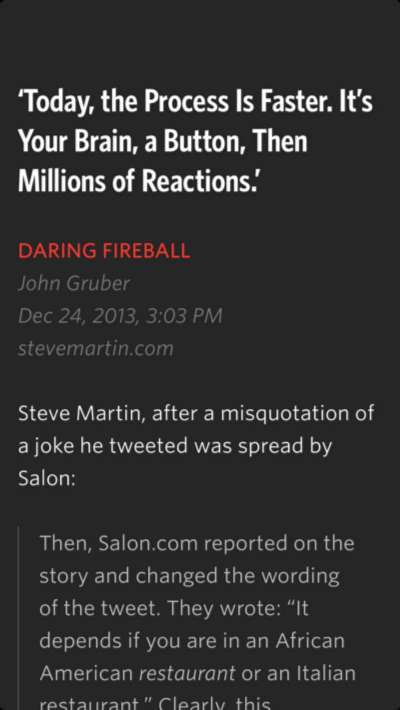
Recently I started again to rely on my RSS. Essentially because of the vision rooted in Unread app by Jared Sinclair. I created a specific folder in my Feedwrangler account with the most interesting blog I follow. Even if a couple of their authors post every day and it’s not ideal to insert in your RSS blogs with lots of posts per day, I am able to sit down and find something that is really worth reading every evening. As a matter of fact, I then start to share on Facebook and Twitter to let my friends and followers know about what I am reading. Essentially because if I have found value in that, they could too. Another reason is because I want to be trusted as a curator.
A New Way of Blogging
Curating is the new form of blogging. This doesn’t mean I will stop to write blog posts, but that I am putting more and more energy in curating what I share. You are what you share: it’s probably been said by lots of people out there and I quote it. When I am reading my RSS in Unread the only issue I have is that I don’t have an option to share with Buffer. Buffer is a joyful app that helps you to collect contents and posts and share them with your follower at the time you prefer. For example, my followers on Twitter read and retweet my posts particularly between 7 and 8 am. This is, I suppose, because in that moment they’re commuting. With Buffer I can schedule a tweet to be shared at a predefined time. I created a time schedule to post on Twitter once an hour, from 7 am to 23 pm. This works for me, even if I don’t use it every day with my personal accounts. But so I can continue to add posts to my Twitter with an hour of interval between one and the next. Buffer helps me to fill the time schedule with a good, even if not perfect, browser extension, available for Chrome, Firefox and Safari, and a nice app for my iPhone. When I am reading in Unread I need to use the option share via email to add a post and my opinion about it in my Buffer, to be shared at the right time (I use Tweriod to determine it, because I can then export this time schedule in Buffer).
Post More Great Contents Brings You More Followers
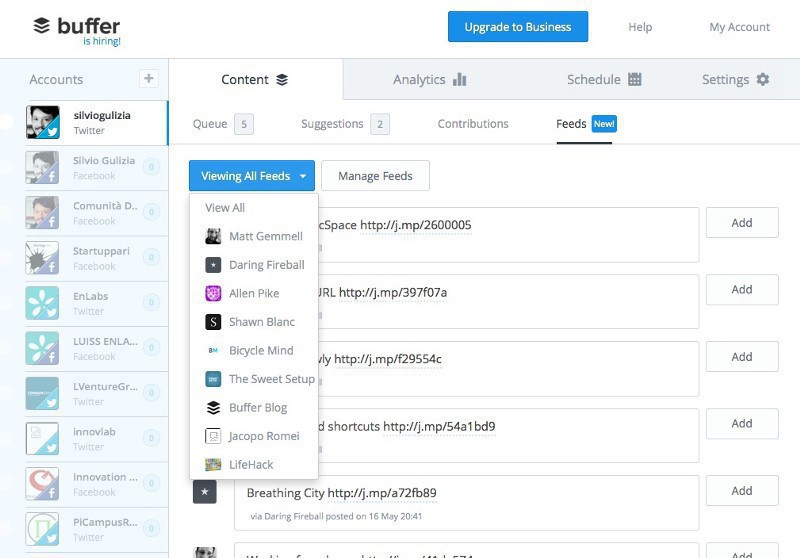
Yesterday Buffer released a new feature called Feeds. It let you see posts from a selection of 15 feeds you can create based on your tastes. You can have different set of feeds per every account you manage. This tools, available for who subscribes the Awesome ($10 per month) and Business plan (different option, starting from $50 per month) have been adjust after an initial foolish proposal limited to only one feed. Buffer’s CEO, Joel Gascoigne, wrote a great email to all his customers to inform them they changed the tool’s features based on first feedbacks. I think this is a great lesson for all the people involved in startups. I am following and using Buffer since their day one and I think they have one of the most brilliant theme out there. They can fail (they did it a couple of times), recognize their failures and then do great thing starting from that. With Feeds now they provide their customers with a powerful tool that will help them to gain a great audience.
How It Works, In Practice
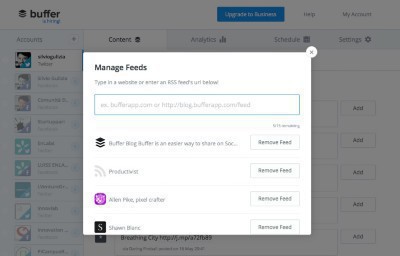
Add to Feeds the best 15 blogs you read. Then you will have a “newsfeed” with all their blogposts. Just click in the content section, edit the post and then hit add to add it to your account buffer. Unfortunately, you can’t add this to all of your personal account directly. If you want to do it, you will have to go back to your account’s dashboard and move & copy each post from one account to another.
Buffer will also suggest to you a selection of 5 post every day and you can add them to your time schedule. Another tool I use to populate my buffers is Swayy, another startup I’ve been beta tester for and that let you see selected post about the theme you decide to curate. And then I have my Unread app, which I hope will integrate share with buffer option very soon.